ACE333 first look: what's in the app and how to get going on your phone
New to ACE333? Here is what the lobby looks like after you log in, the three game tabs, and the few checks worth doing before any money goes in.

ACE333 is a casino-style app for Android and iOS phones, used by Malaysian players mainly for its slots. This page is the short version: what you will find inside and how to start without rushing.
What the ACE333 lobby looks like
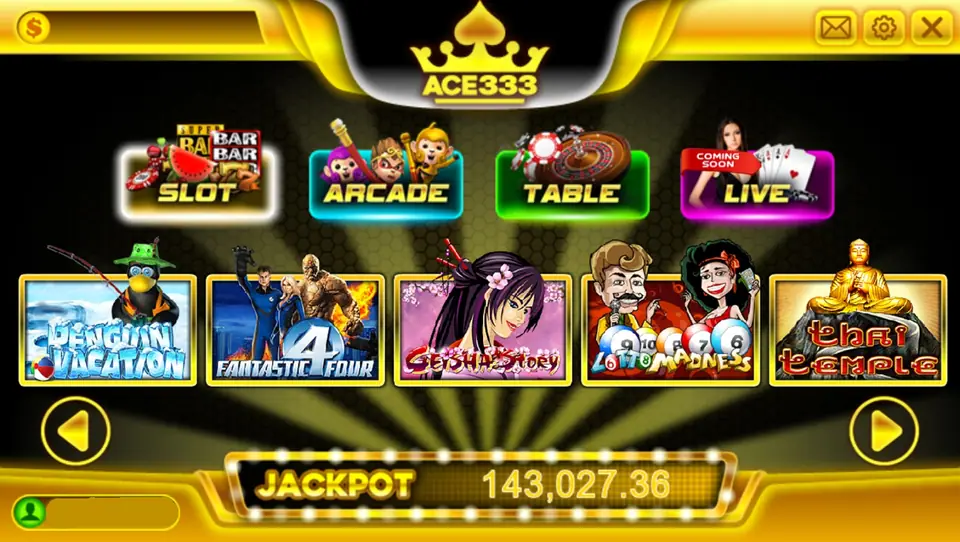
Once your account is set up, you log in with your ID and password and land on the main interface. At the time the old notes were written, the games were split into three tabs:
- Slots: 22 slot games
- Arcade: 5 games
- Table: 5 mini casino table games
The app was new then and the list was expected to grow, so your lobby may well show more titles today.
Getting set up on your phone
- Install the app from a download link you trust. The ACE333 install guide walks through the Android and iPhone steps.
- Log in with the ID and password for your account.
- Open a slot and read its paytable before the first spin. Every game has its own lines, bet steps and features.
Checks before your first deposit
The old page promised that small stakes turn quickly into big wins. That is not how slots work. Every game is chance-based and the house keeps an edge, so go in expecting to pay for entertainment.
A few things worth doing first:
- Confirm you are 18 or over and that you are comfortable with the local rules that apply to you.
- Know who you are dealing with for deposits and withdrawals, and how long a withdrawal takes.
- Read any bonus terms properly, especially rollover requirements, before accepting.
- Decide on a session limit and stick to it.
Where to go next
For game-by-game notes, see our ACE333 slot reviews. When you are ready, you can open ACE333 and try a slot at a small stake first.